Free trading signals · signal keys
Free trading signals — signal keys your bot can trade
Add a provider's signal key in the desktop app and their entries arrive as signals on your side — executed with your broker, your stake and your limits.
Use a signal key
- 1
Get a key
Signal keys are published by providers and by the AutobotSignal team. Each key states the broker type, the instruments it scans and the expiry it trades.
- 2
Add it in the desktop app
Go to Signals → Sources → MQTT Signal and paste the key into Keys. Incoming entries appear as signals in the app.
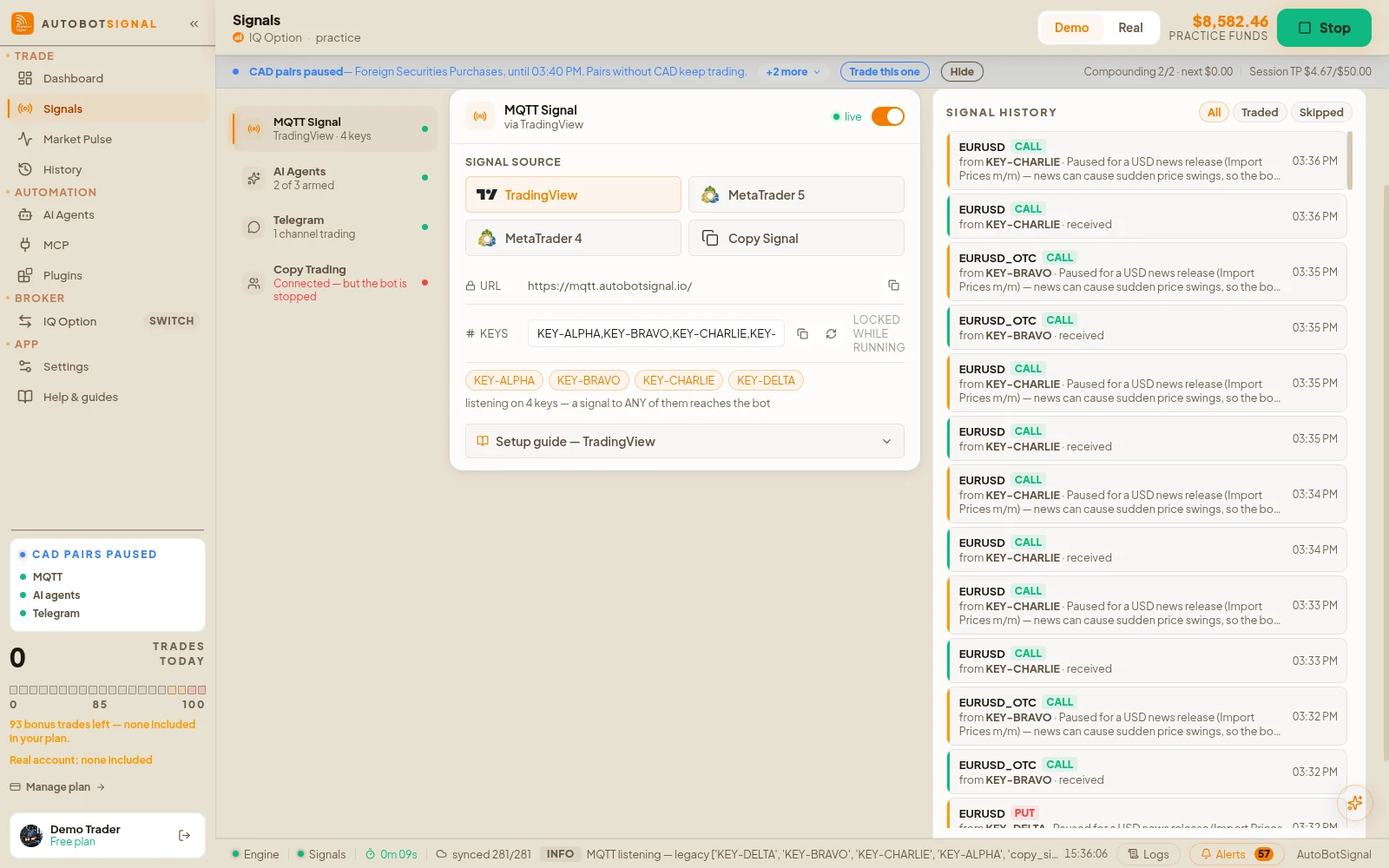
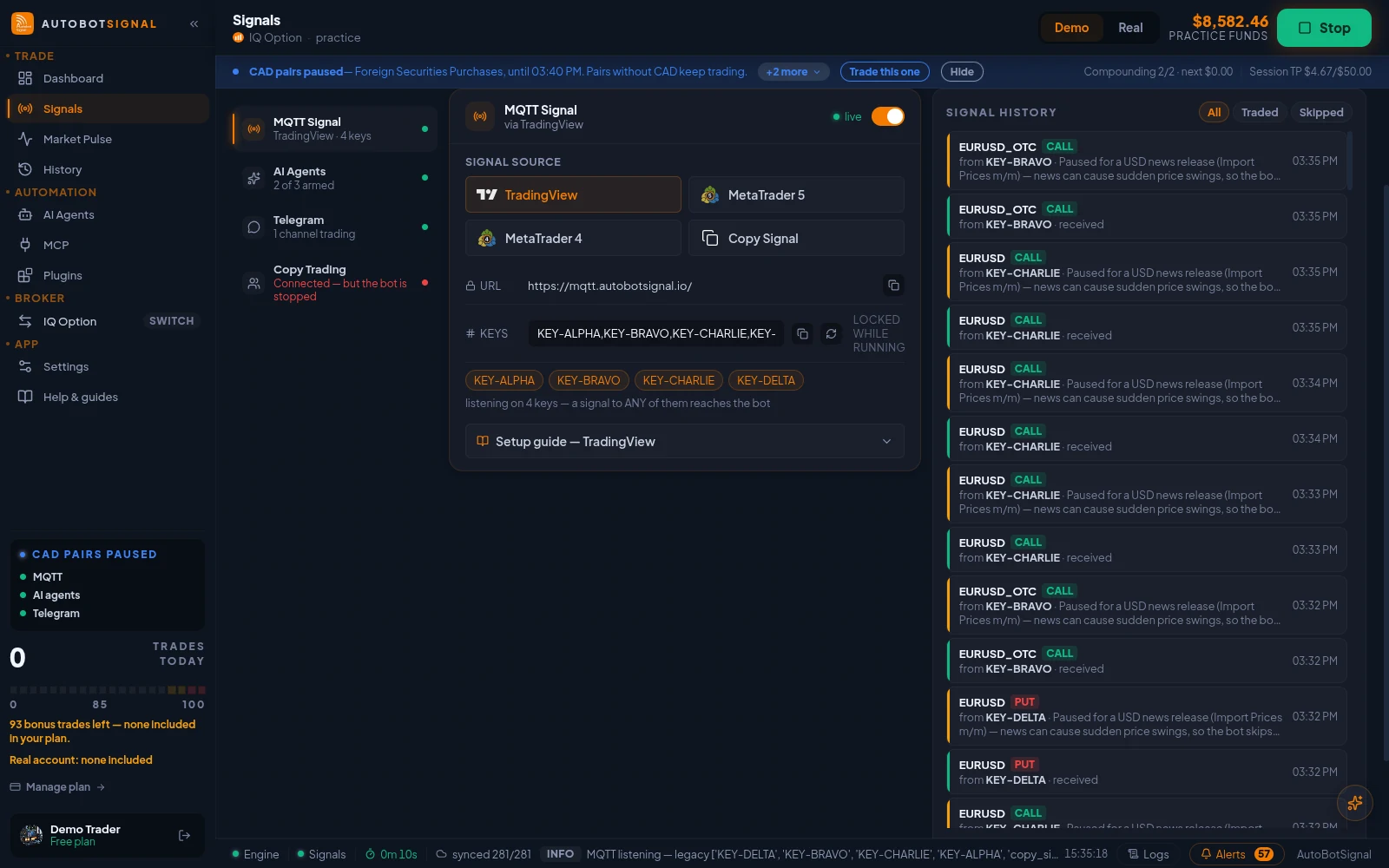
Signals → Sources → MQTT Signal: paste the key into Keys — the bot listens on every key in the list, and a signal to any of them reaches it. - 3
Match the key's requirements
A key aimed at a specific instrument set — for example Deriv synthetics — needs a matching broker connection to execute.
- 4
Set your own limits and test
Configure stake, daily cap and stop-loss/take-profit, then run the key on a demo account before going live.
About weekend keys
Standard markets close at the weekend, so weekend keys generally scan synthetic or OTC instruments instead. These are useful for testing that your setup executes correctly end to end.
Treat a weekend key as a plumbing test rather than a strategy: confirm signals arrive, that your broker connection fires, and that your limits behave as expected.
What a signal key is
Cost
Free
Where you enter it
Desktop app
Signals → Copy Trade
Broker needed
A matching one
A Deriv-synthetics key needs Deriv
Your limits
Still apply
Stake, daily cap, stop-loss
Before you run someone else's key
Set up first
- Connect the broker the key is meant for
- Choose demo mode for the first session
- Set your own stake — you do not inherit theirs
- Set a daily trade cap and a session stop-loss
Then judge it honestly
- Watch a full session before committing real funds
- Check the journal for refusals as well as fills
- Remember the provider can change strategy without telling you
- Remove the key at any time to stop copying
Questions
Keys come from providers and from the AutobotSignal team, and are shared through our community channels rather than listed on this page. Ask in the Telegram or Discord community, or contact support.
A signal key is someone else's strategy. Past results do not predict future performance, and you remain responsible for your own risk settings.
Try a signal key on demo
Add a key, keep your own limits, and watch a full session before risking real funds.